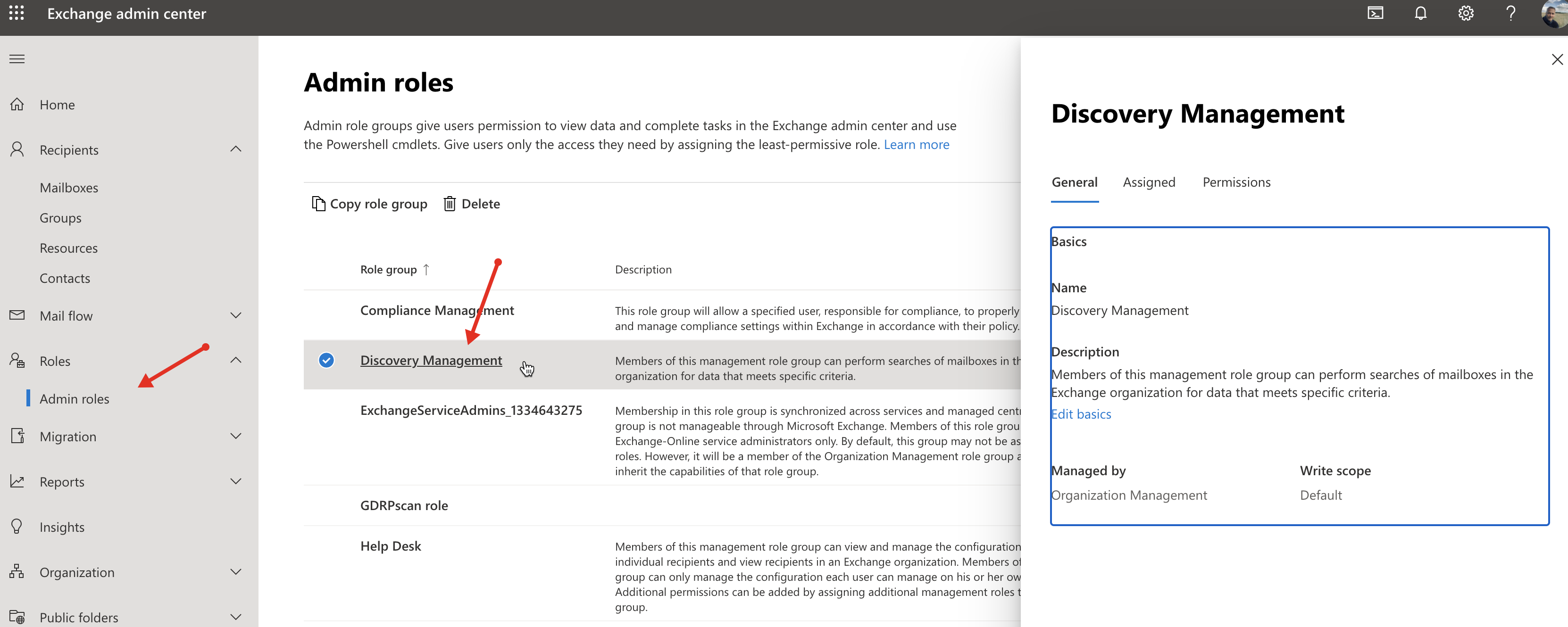
To automatically scann all users in Exchange, you must create a Service Account with the Discovery Management role.

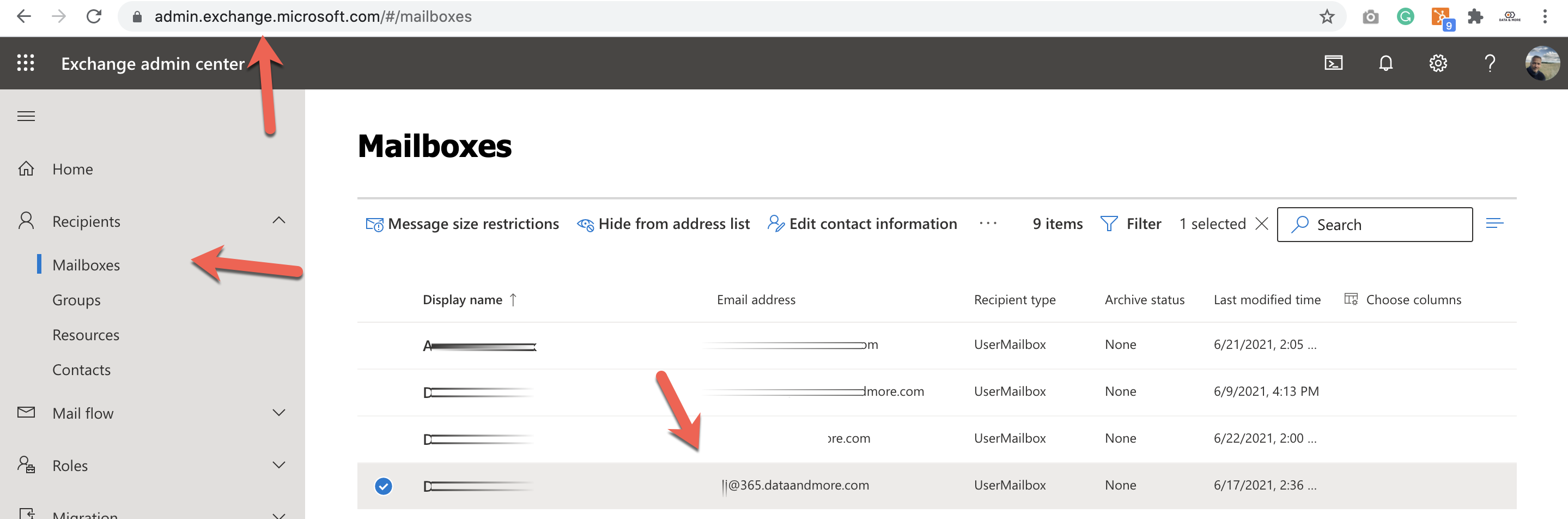
Make sure that the Service Account have a valid email address
For more information on how to add the Discovery Management role see:
Make sure you are using providing the PRIMARY SMTP address for the service account to data & more.
Go to
admin.exchange.microsoft.com
Mailboxes
search for the service account and check the mail address